Data-driven segments are a smart way to use all the info you've already got to make your campaigns hit the mark. Instead of sourcing new contacts, you're filtering your existing database to target exactly who you want, in just the right way.
Let's break it down.
Getting Started

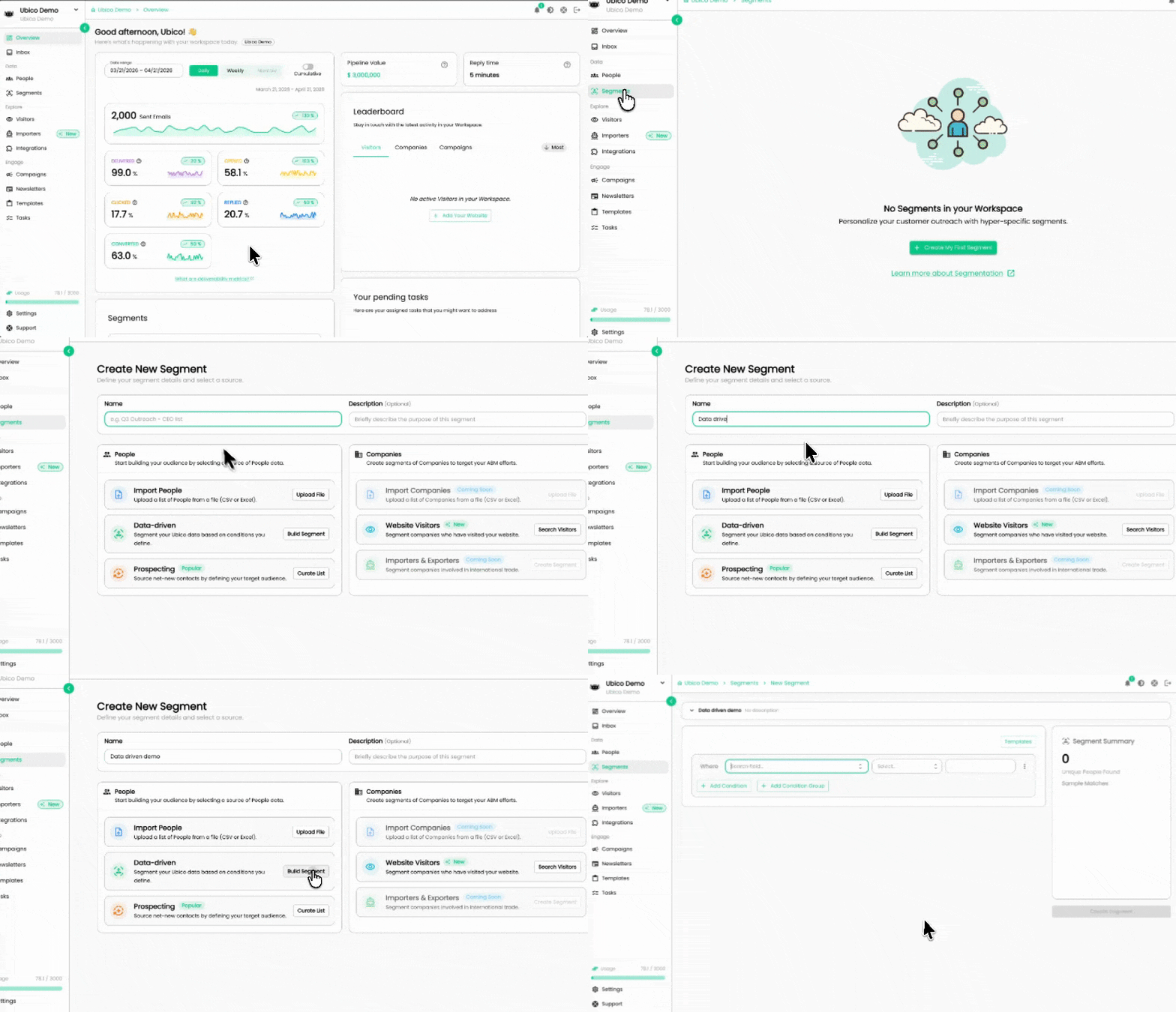
Hop onto Ubico and click Segments on the left-hand menu. Hit New Segment in the top-right corner, give it a name that reflects your ICP, and choose the Data-Driven Segment option. You'll land on the setup page, and this is where the fun begins.
You can start from scratch or pick from a library of ready-made templates designed for common use cases. Templates come with pre-configured conditions, so you can launch faster and tweak as needed.
Building Your Conditions

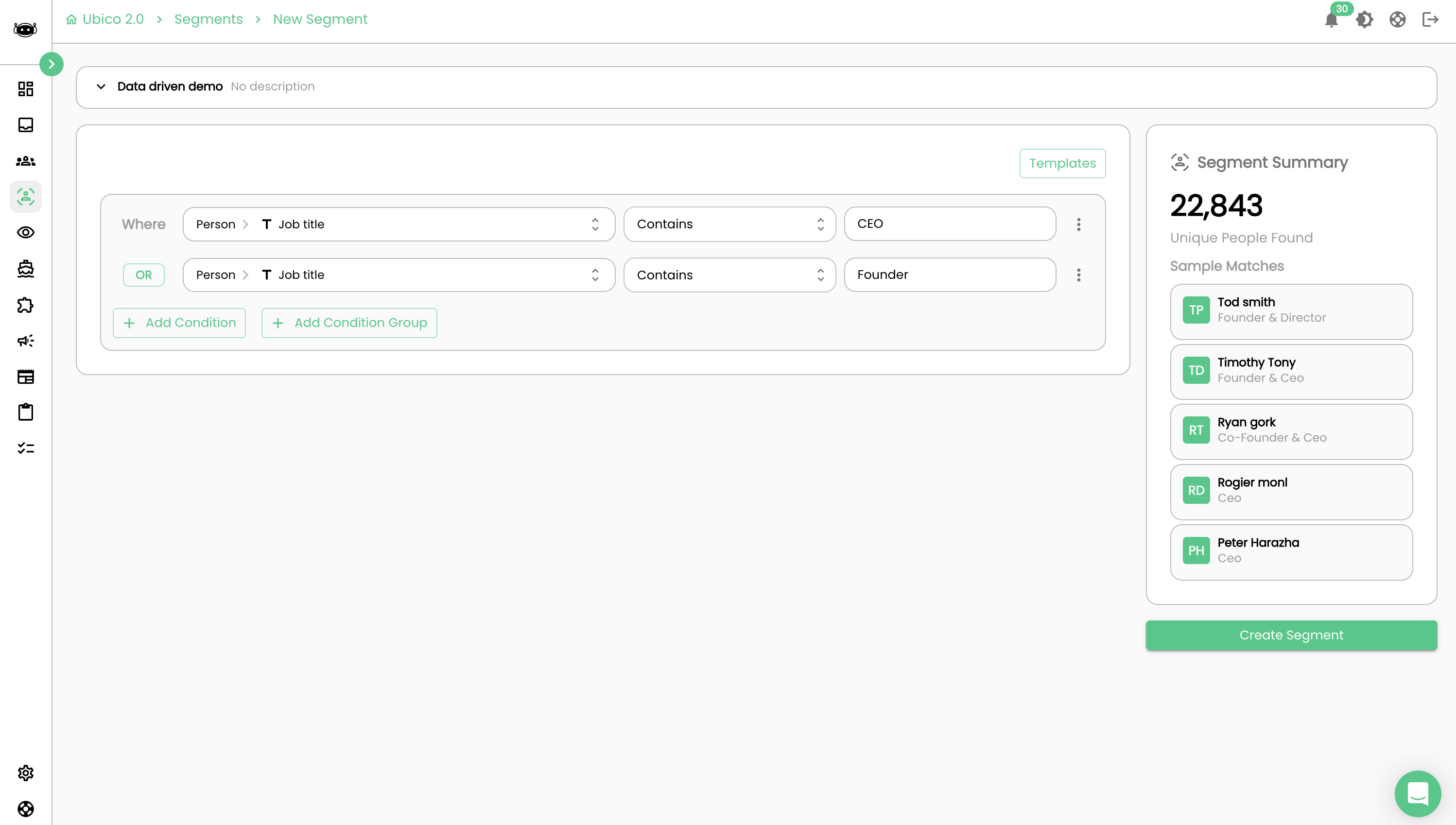
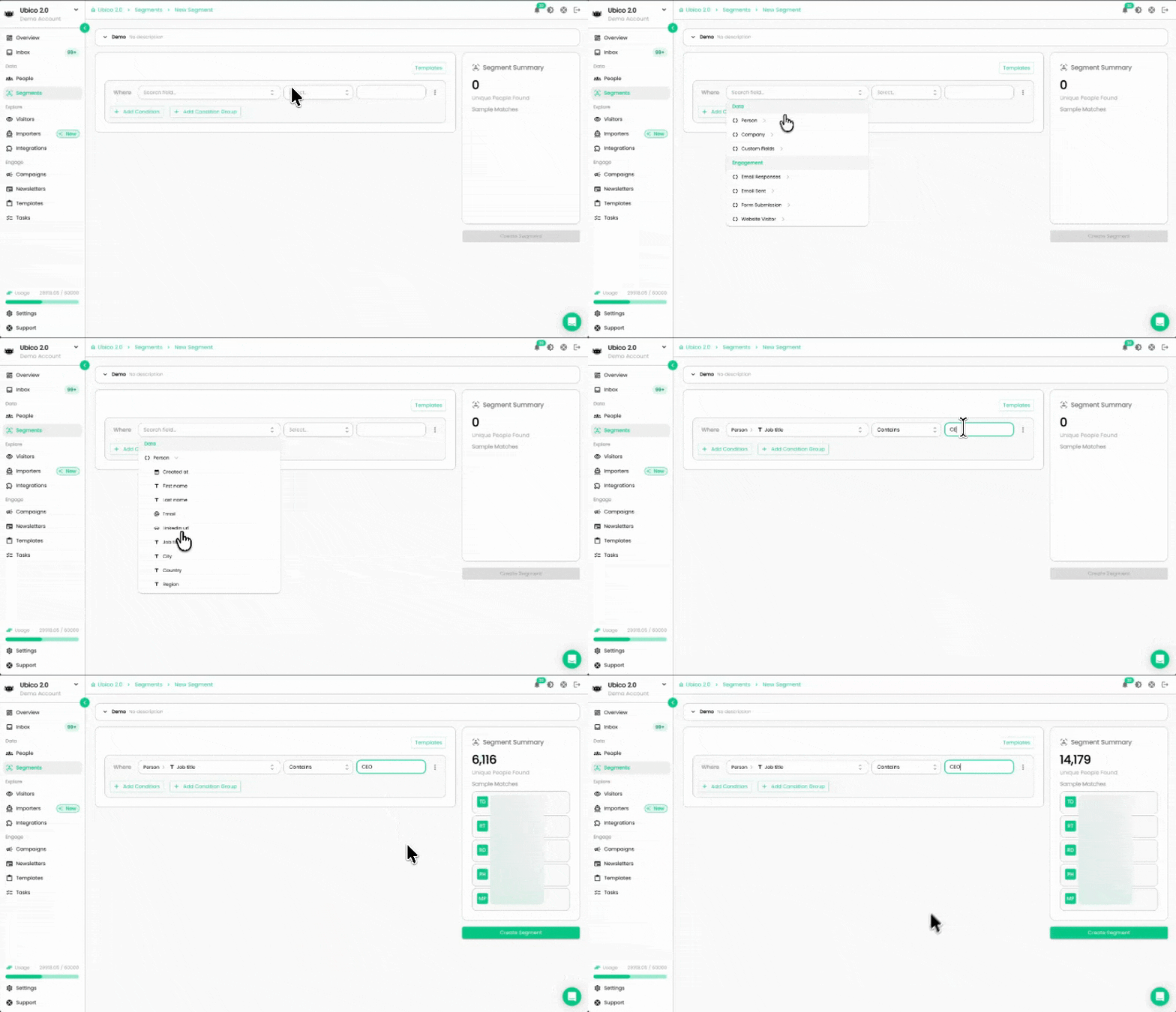
You can add multiple conditions to target people in your database. Each condition follows a simple structure: pick an Attribute, set a Condition (like "contains" or "greater than"), and enter a Value.
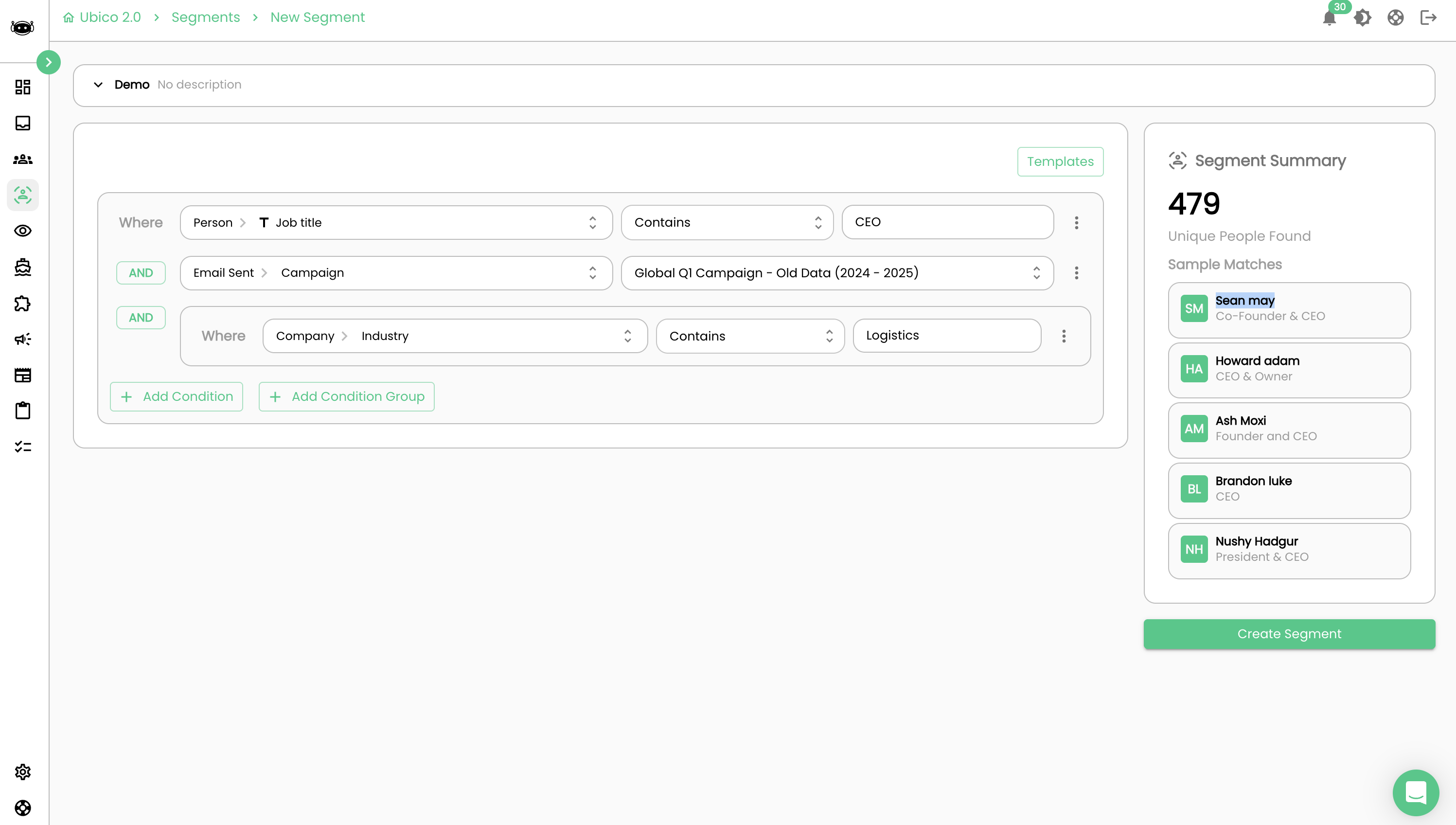
You can stack as many conditions as you need using the Add Condition button. Use the OR/AND toggle to control how they relate: AND means every condition must be true, OR means any one of them is enough. For more advanced targeting, the Add Condition Group option lets you create nested logic to get really specific.
Data

These conditions filter based on who your contacts are and where they work.
Person: Zoom in on individuals. Target people by job title, location, industry, job changes, and more. If you know who you want to talk to, start here.
Company: Shift the focus to the business itself. Filter by industry, revenue, employee count, and more, whatever helps you narrow down the right organizations.
Custom Fields: Got your own data points? This lets you target contacts based on any custom attributes you've added to your database, giving you total flexibility.
Engagement

These conditions are all about behavior: how people have interacted with your outreach so far.
Email Responses: Target contacts based on how they've replied to your messages. Think subject lines, message content, or email categories. It's like fine-tuning your approach based on what actually resonates with your audience.
Email Sent: Want to follow up in a super precise way? Target contacts based on emails you've already sent, maybe one they opened multiple times, or a message that got a specific response. Your next move, informed by their last one.
Form Submission: Reach out to people who've filled out a form, whether it's a demo request, a signup, or anything else you're tracking. Great for striking while the interest is hot.
Website Visitor: Target contacts who've been browsing your site. If someone's been checking out your pricing page or product docs, that's a signal worth acting on.

That's what makes data-driven segments such a powerful tool. Start playing around with the conditions, segment your audience, and watch your campaigns become more targeted, more personal, and more effective.